HOW STREAMSTEAD WORKS

From upload
to always-on.

Build your stream once. Streamstead handles what happens next. Upload your content, connect YouTube and let dedicated cloud infrastructure keep it running.

NO STREAMING PC REQUIRED

The work happens here.
Not on your computer.

Traditional 24/7 YouTube streaming usually means leaving a computer running, keeping OBS open and hoping the connection stays healthy. Streamstead moves that workload into infrastructure built specifically for long-running livestreams.

01
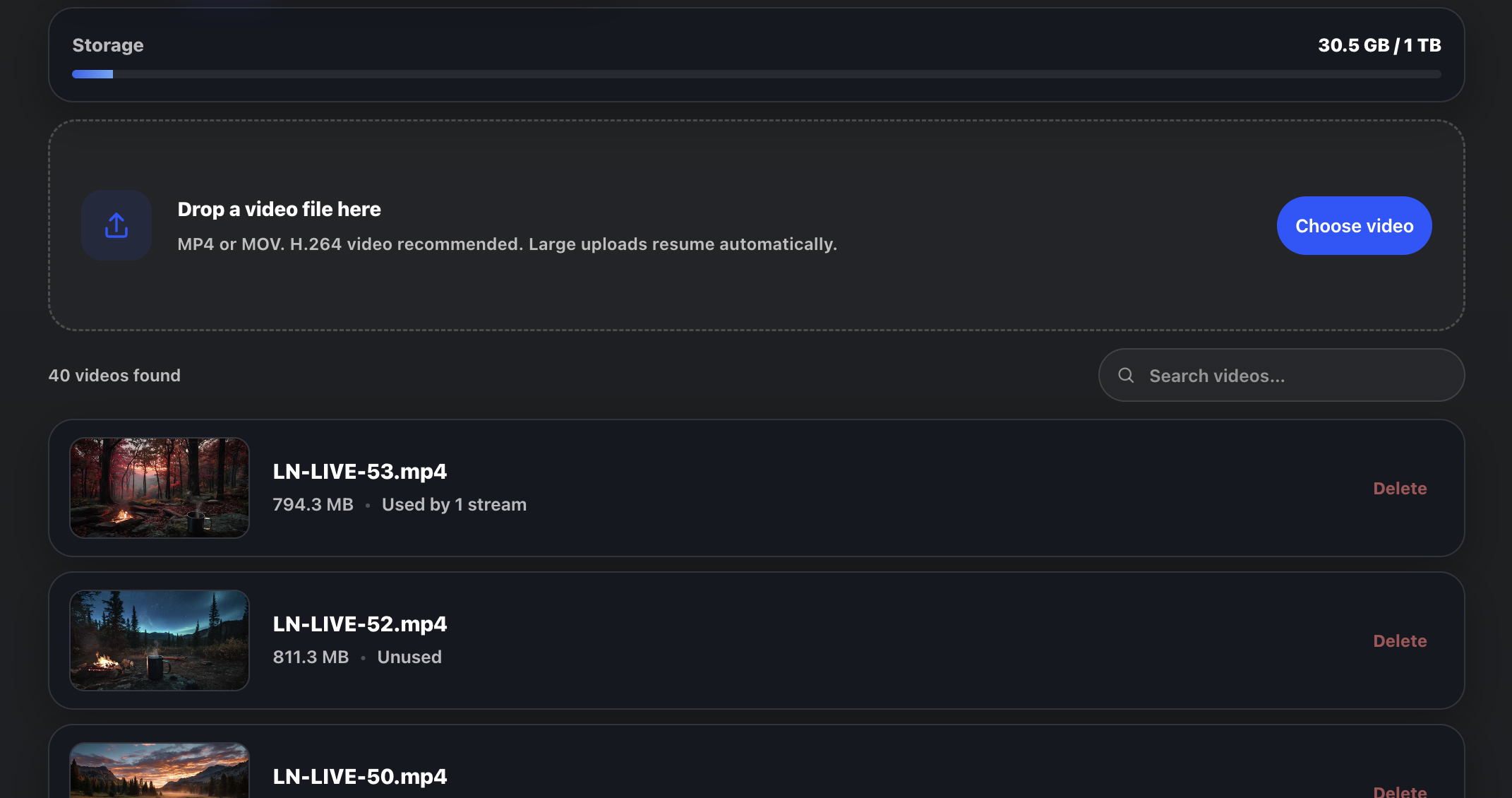
Streamstead video library showing uploaded videos ready for livestreaming
UPLOAD

Bring your content.

Upload the videos you want to stream. Large files use resumable uploads, so an interrupted connection does not have to mean starting again.

Your uploads are prepared as streaming-ready masters in the cloud and stored in your reusable video library.
02
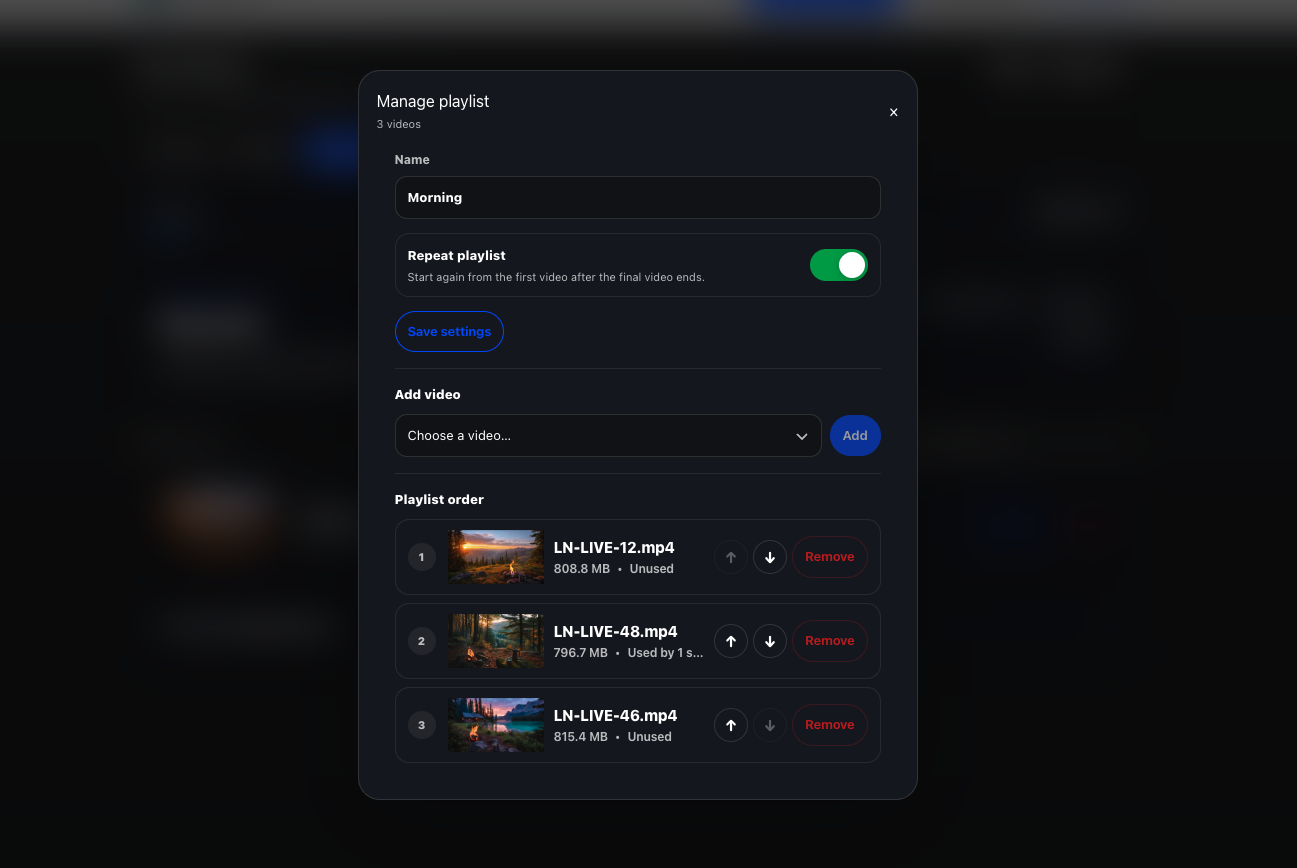
Streamstead playlist manager showing videos arranged into an ordered livestream playlist
BUILD

Choose how it plays.

Run a single video continuously, build an ordered video playlist, or switch between content already in your library.

Playlists can repeat continuously for always-on streaming, or play through once and stop after the final video.

03
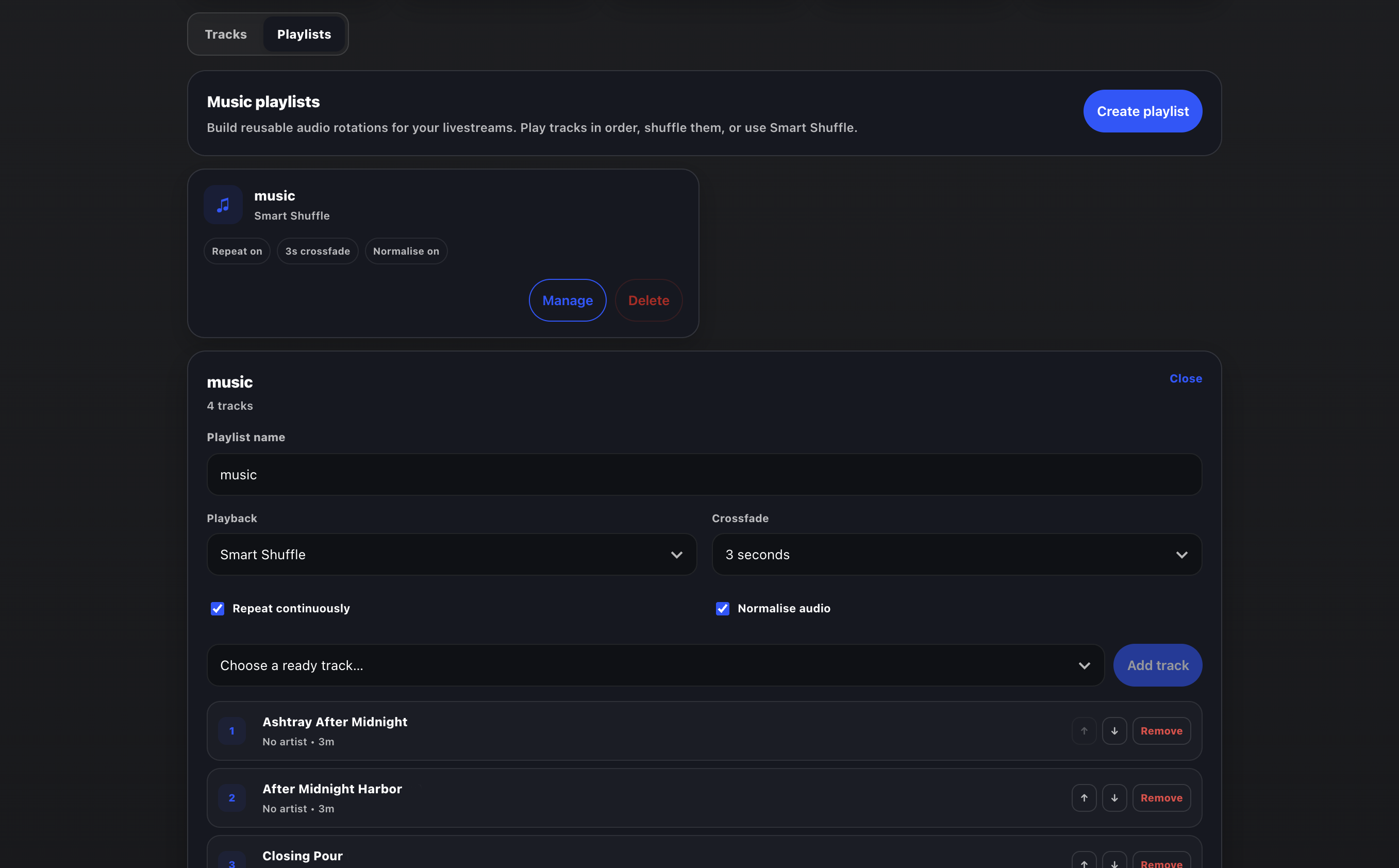
Streamstead music playlist interface showing tracks, shuffle, repeat and crossfade controls
ADD AUDIO

Separate the picture from the sound.

Use the audio already inside your video, or build a separate music library and assign a reusable music playlist to the stream.

Music playlists support ordered or shuffled playback, repeat, crossfade and audio normalisation.

04
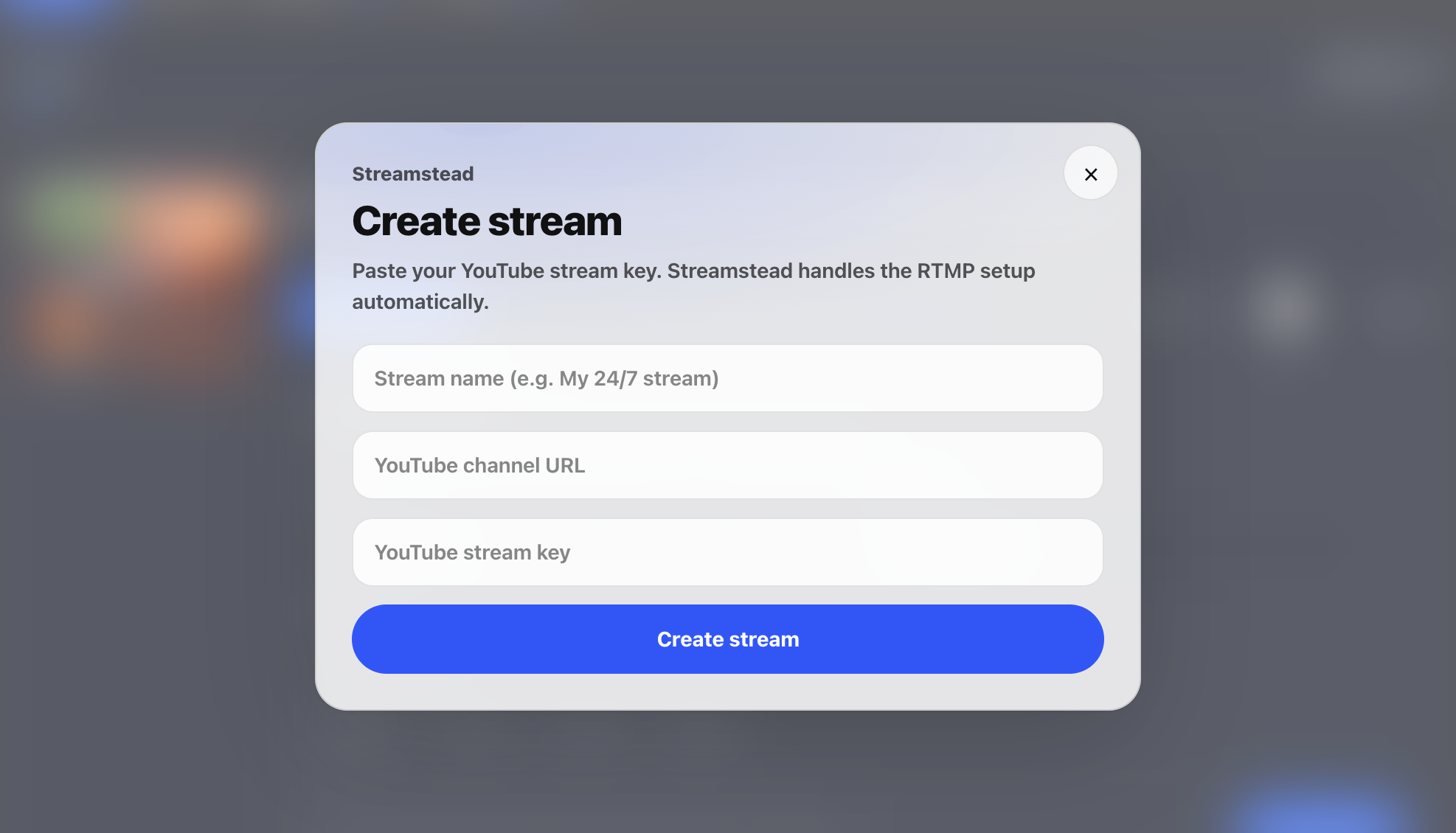
Streamstead create stream window for connecting a YouTube livestream
CONNECT

Add your YouTube stream key.

Connect the YouTube livestream you want Streamstead to power. There is no OBS scene to build and no local encoder to leave running.

Your stream is sent directly from Streamstead's cloud infrastructure to YouTube.

05
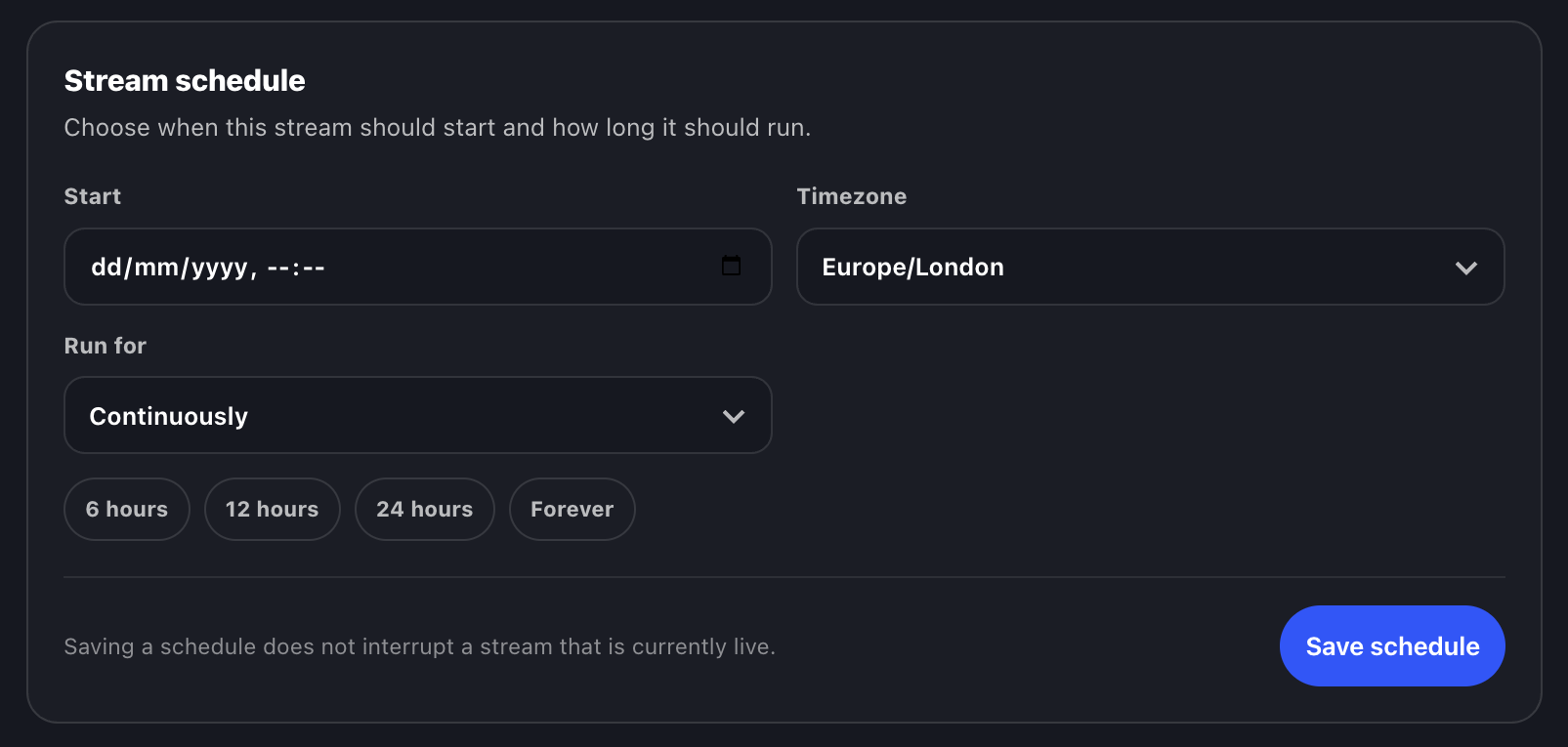
Streamstead scheduling controls showing start time, timezone and stream duration
SCHEDULE

Start when you want.

Choose a start time, timezone and optional duration. Streamstead handles the stream schedule in the cloud.

For scheduled YouTube events, enable automatic start and automatic stop in YouTube Live Control Room so the broadcast itself follows the incoming feed.

06
Streamstead live stream controls showing an active YouTube livestream and stream management tools
STAY LIVE

Then leave it alone.

Once the stream is running, Streamstead keeps the infrastructure working in the background.

Automatic recovery, stream monitoring and cloud-based operation mean your own computer can be switched off.

Infrastructure active
ONE WORKFLOW

Video. Music. Scheduling.
One place to run it.

Streamstead is built around the way long-form YouTube creators actually work. Upload media once, reuse it across streams and change what is playing without rebuilding the infrastructure underneath it.

Single-video looping
Reusable video library
Video playlists
Separate music library
Music playlists
Scheduled streaming
Automatic recovery
Multiple simultaneous streams
BUILT FOR YOUTUBE

Streamstead sends the feed.
YouTube hosts the audience.

Streamstead is purpose-built for YouTube livestreaming. Your stream key connects the two services, while your titles, thumbnails, chat, monetisation and audience remain in YouTube Studio.

If you schedule a broadcast, YouTube's automatic start and stop controls can be enabled so the public livestream follows the Streamstead schedule without needing you to press Go Live manually.

See Streamstead running live
BUILT TO STAY LIVE

Set it up.
Let it run.

No dedicated streaming PC. No permanent OBS session. No machine at home that has to stay awake for your channel to stay live.

Start 7-day free trial