24/7 YOUTUBE LIVESTREAMING

Built to
stay live.

A permanent home for your 24/7 YouTube livestreams.
Upload videos, build playlists, add music and schedule broadcasts. Streamstead keeps the infrastructure running quietly in the background.
Streamstead network operational
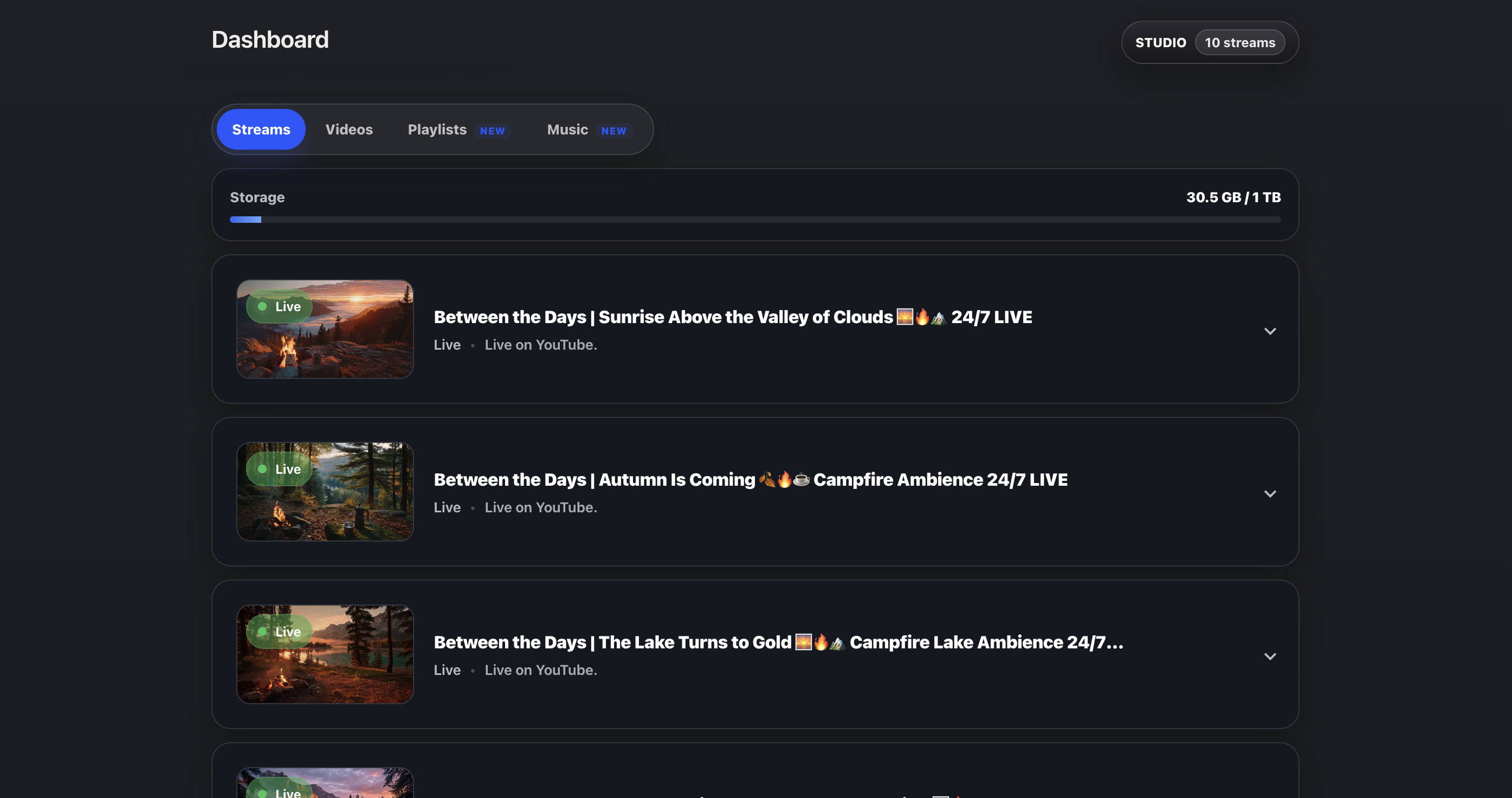
Streamstead dashboard showing multiple live YouTube livestreams running from the cloud
Everything behind your livestream.

More than a stream running in the cloud.

Build your content library, create playlists, schedule broadcasts and manage the sources behind your 24/7 YouTube livestreams. Streamstead keeps the infrastructure running underneath it all.
Video library.
Upload videos once and reuse them across your livestreams and playlists. Large uploads are resumable and prepared automatically for reliable streaming.
Video playlists.
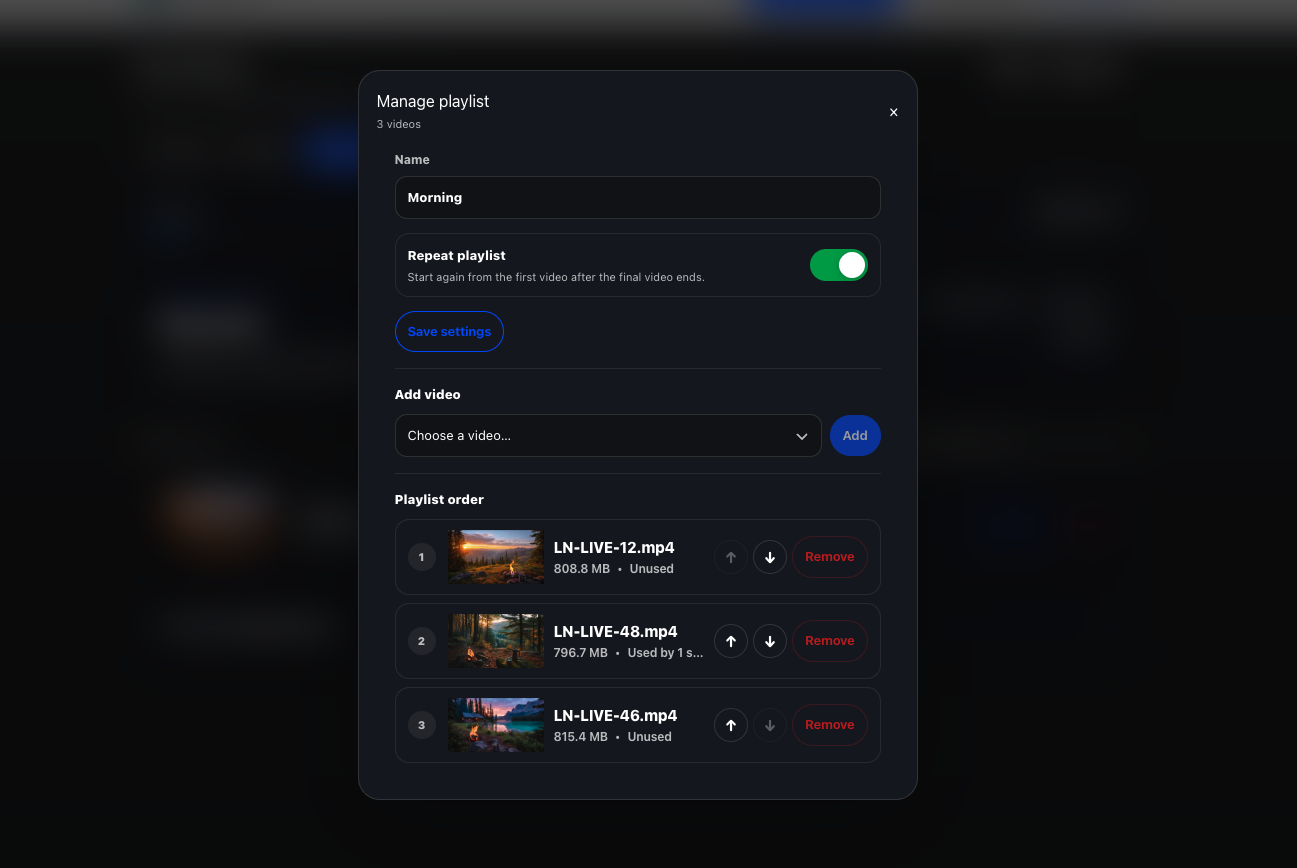
Combine multiple videos into an ordered broadcast. Repeat continuously for 24/7 streaming or play through once.
Music & audio.
Upload music separately from your videos and build reusable audio playlists. Ordered playback, shuffle, repeat, crossfade and audio normalisation.
Scheduling.
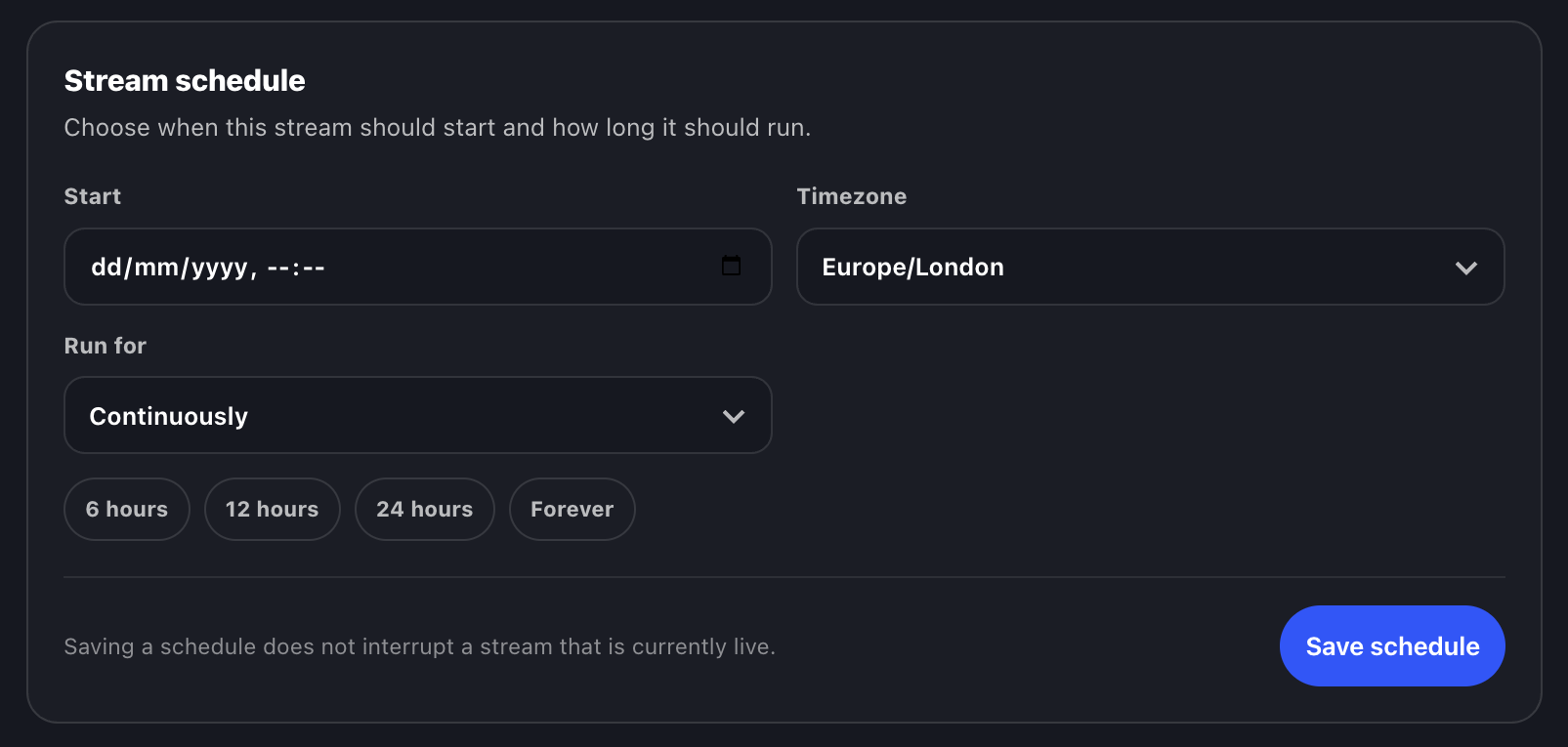
Choose when a stream should start and how long it should run. Set a timezone, duration or let it continue indefinitely.
Source switching.
Move a livestream between individual videos and playlists without rebuilding the stream setup.
Automatic recovery.
Streamstead runs in the cloud and automatically attempts to recover the broadcast if the connection is interrupted. No OBS. No always-on PC.
Streamstead video playlist manager showing three videos arranged in playback order
Streamstead stream scheduling interface showing start time, timezone and run duration controls

Simple pricing.

View full pricing →
Built to scale with you. Pricing is based on streams – not viewers, watch time, or bandwidth spikes.
Core
1 livestream
100GB storage
$29/ month
A permanent home for one always-on YouTube livestream.
Start 7-day free trial
INCLUDED
1 cloud livestream
100GB storage
Video library
Video playlists
Music library & playlists
Stream scheduling
Resumable uploads
Source switching
Automatic stream recovery
No OBS or always-on PC
MOST POPULAR
Pro
3 livestreams
300GB storage
$69/ month
For creators building more than one always-on stream or channel.
Choose Pro
INCLUDED
3 simultaneous livestreams
300GB storage
Video library
Video playlists
Music library & playlists
Stream scheduling
Resumable uploads
Source switching
Automatic stream recovery
Priority support
Priority encoding queue
Studio
10 livestreams
1TB storage
$149/ month
Built for channel networks, larger catalogues and serious always-on scale.
Choose Studio
INCLUDED
10 simultaneous livestreams
1TB storage
High-volume video uploads
Video library & playlists
Music library & playlists
Stream scheduling
Source switching
Automatic stream recovery
Priority infrastructure access
Priority support
High-volume streaming workflows
Taxes may apply at checkout depending on your country and business status.

Frequently asked questions

Creators running long-form and always-on content – ambience, music, sleep, meditation, focus, walking and travel videos, radio-style streams, and other long-running YouTube livestreams.
Just a YouTube stream key and a video file. Streamstead handles the streaming infrastructure in the cloud.
No. Once your stream is uploaded and started, Streamstead runs entirely in the cloud.
For loop-based 24/7 livestreams, yes. Streamstead removes the need to keep OBS or your computer running continuously.
Yes. You can choose a start date and time, select the timezone, and either let the stream run continuously or set how long it should stay live. Streamstead checks scheduled streams automatically in the cloud, so your computer does not need to be running.
Streamstead starts sending your stream at the scheduled time. For YouTube to publish and end the broadcast automatically as well, enable Auto-start and Auto-stop for that stream in YouTube Live Control Room.
If a stream interruption occurs, Streamstead automatically attempts to reconnect and restore the livestream.
No. Streamstead pricing is not based on viewers, watch time, or stream popularity.
No. Streamstead is designed so creators can launch and manage long-running streams without technical setup.
Streamstead is currently built and tested for YouTube livestreams.
Yes. Video Playlists let you combine videos already in your Streamstead library into an ordered sequence. Playlists can repeat continuously for 24/7 streaming, or play through once and stop after the final video.
Yes. Streamstead includes a separate Music library for uploading audio tracks and building reusable music playlists. Music playlists can be assigned to a livestream independently from its video source, with ordered or shuffle playback, crossfade, repeat, and audio normalisation controls.
Yes. Use Switch source from the dashboard to change a stream to another uploaded video or Video Playlist. Streamstead handles the source change and restart automatically without requiring local streaming software.
No. Streamstead is designed for long-running cloud livestream workflows using uploaded videos and Video Playlists, rather than real-time webcams, live production switching, or interactive events.
Yes. Pro and Studio plans support running multiple always-on livestreams simultaneously.
No. Streamstead pricing is fixed and does not increase based on audience size or watch hours.
Yes. There are no long-term contracts and you can cancel anytime.
You retain ownership of your content. Users are responsible for ensuring they have the rights to stream uploaded media.
START WITH ONE STREAM
7-day free trial on Core. Set it up. Let it run.
See how it feels